🎉 欢迎访问GreasyFork.Org 镜像站!本镜像站由公众号【爱吃馍】搭建,用于分享脚本。联系邮箱📮

Greasy fork 爱吃馍镜像

Greasy Fork is available in English.

📂 缓存分发状态(共享加速已生效)
🕒 页面同步时间:2025/12/25 17:43:27
🔄 下次更新时间:2025/12/25 18:43:27
手动刷新缓存

GitHub Відображення інформації в Інтернеті

Цей сценарій буде GitHub Інформація про подання HTML переглянути,щоб чіткіше бачити деталі подання。Він автоматично надішле список інформації、Заголовок фіксації та остання інформація про фіксацію перетворюються на HTML Формат,Забезпечте кращі візуальні ефекти та досвід користувача。

Від 06.09.2024. Дивіться остання версія.

You will need to install an extension such as Tampermonkey, Greasemonkey or Violentmonkey to install this script.

You will need to install an extension such as Tampermonkey to install this script.

You will need to install an extension such as Tampermonkey or Violentmonkey to install this script.

You will need to install an extension such as Tampermonkey or Userscripts to install this script.

You will need to install an extension such as Tampermonkey to install this script.

You will need to install a user script manager extension to install this script.

(У мене вже є менеджер скриптів, дайте мені встановити його!)

🚀 安装遇到问题?关注公众号获取帮助

公众号二维码

扫码关注【爱吃馍】

回复【脚本】获取最新教程和防失联地址

You will need to install an extension such as Stylus to install this style.

You will need to install an extension such as Stylus to install this style.

You will need to install an extension such as Stylus to install this style.

You will need to install a user style manager extension to install this style.

You will need to install a user style manager extension to install this style.

You will need to install a user style manager extension to install this style.

(I already have a user style manager, let me install it!)

🚀 安装遇到问题?关注公众号获取帮助

公众号二维码

扫码关注【爱吃馍】

回复【脚本】获取最新教程和防失联地址

Автор
人民的勤务员
Рейтинги
0 0 0
Версія
1.0.0.12
Створено
30.08.2024
Оновлено
06.09.2024
Size
28,1 кБ
Ліцензія
MIT
Відноситься до
UserScripts

人民的勤务员/UserScriptsGithub:@ChinaGodMan

脚本来自互联网广大网友,本人仅是做了些许改动.感谢网友 如有侵权,联系必删,勤务员的脚本可供随意修改.
Gmail

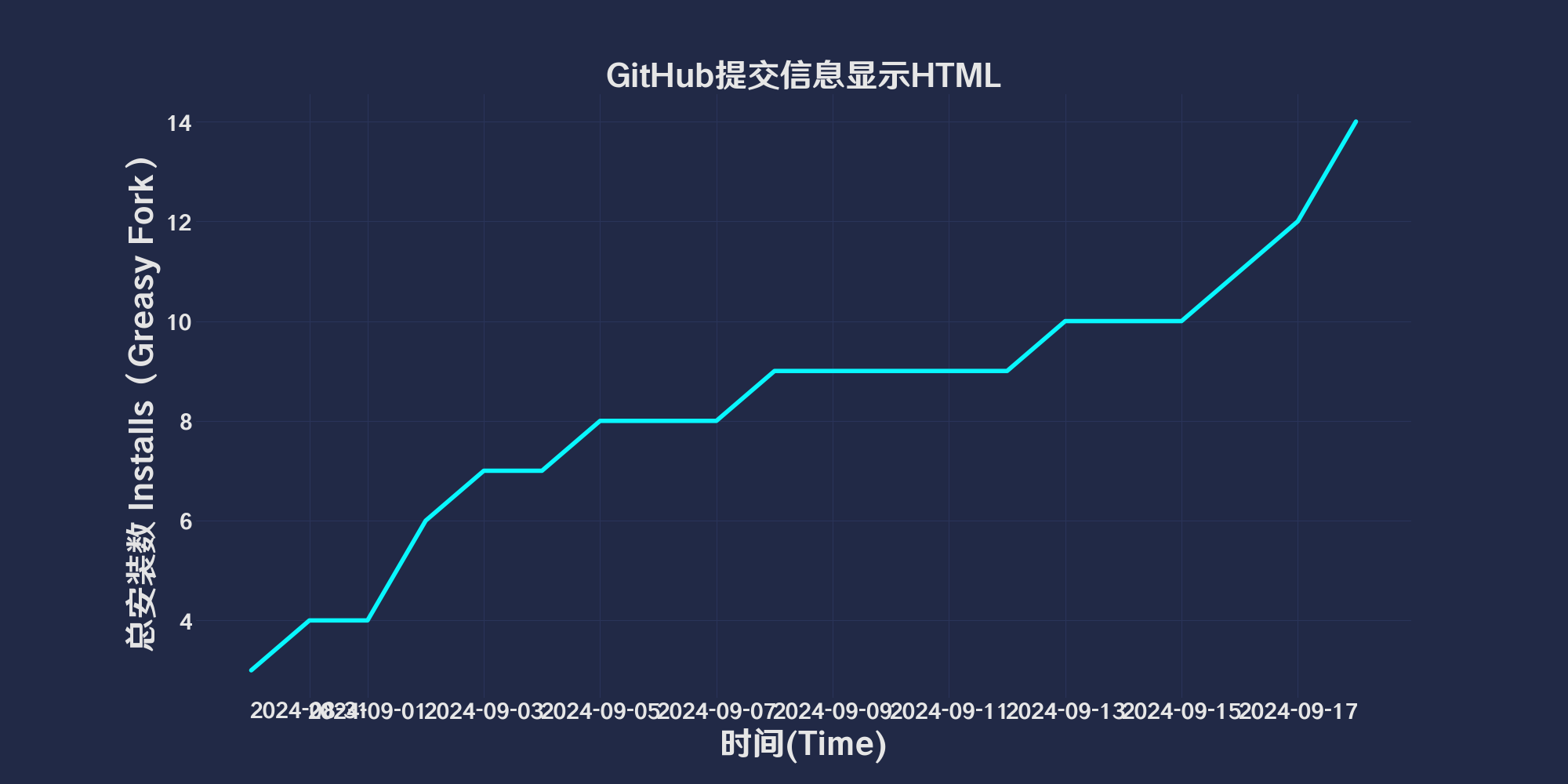
GreasyFork Total Installs Total Daily Installs Scripts Count Good Ratings Ok Ratings Bad Ratings

Github commit forks Issue license CopyRight


starsStar Me请给我点星

给勤务员加鸡腿

GitHub提交信息显示HTML

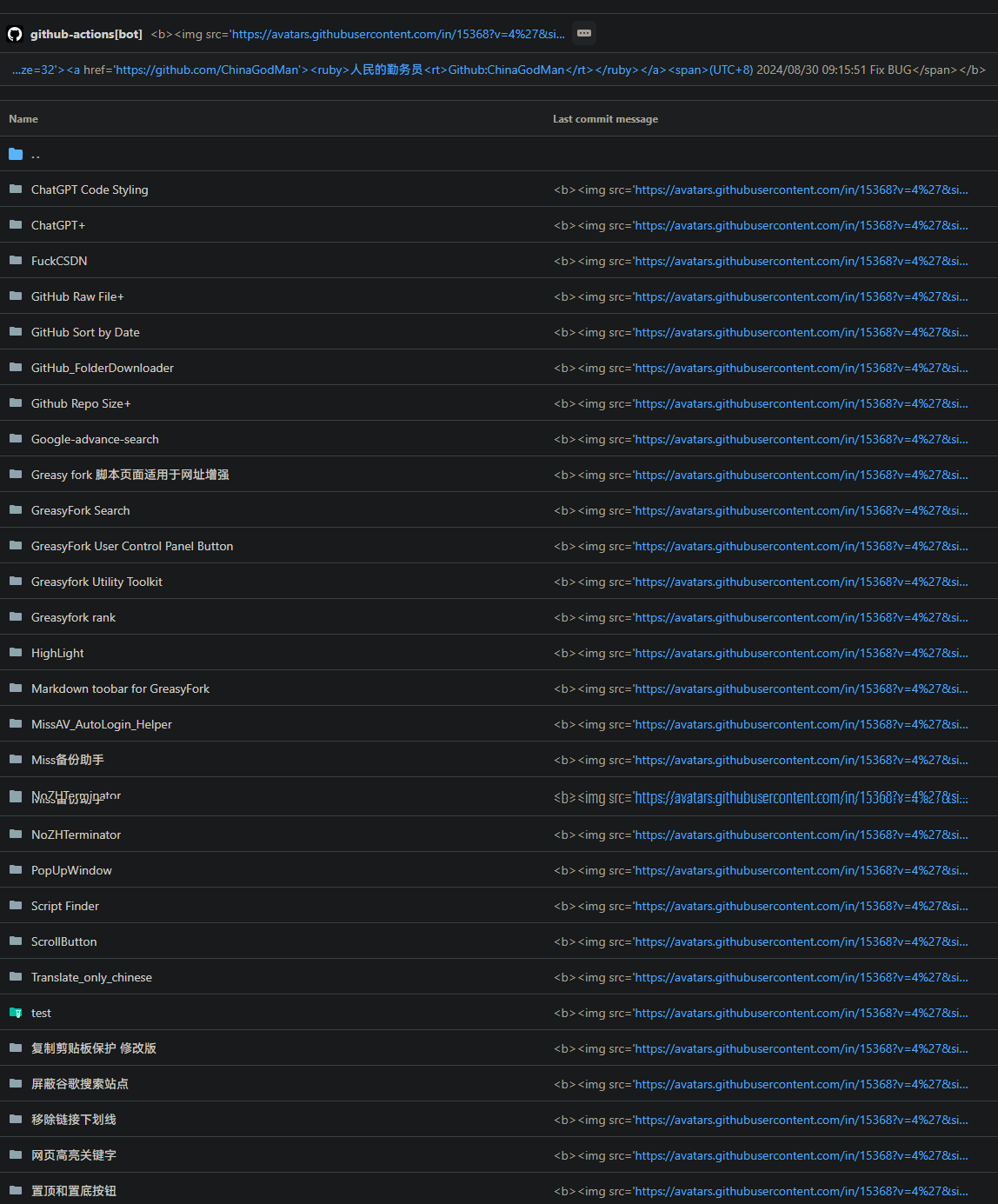
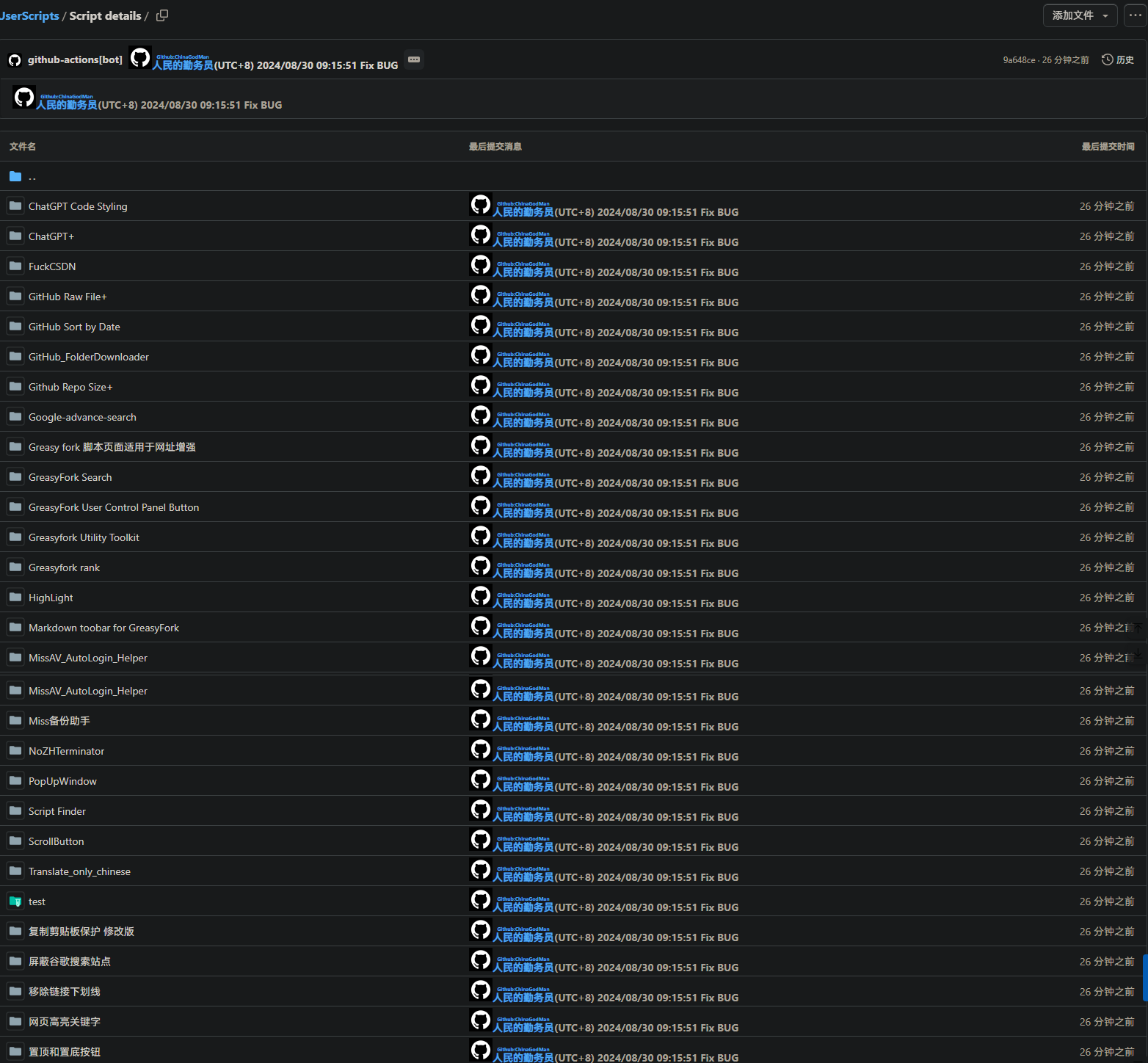
「 该脚本将 GitHub 上的提交信息转化为 HTML 视图,以更清晰地查看提交详情。它会自动将提交信息列表、提交头部和最新提交信息转化为 HTML 格式,提供更佳的视觉效果和用户体验。 」

Views

Download:Github | ⭐Greasy Fork

GitHub CommitMessage Html View

Description

GitHub CommitMessage Html View is a user script designed to convert commit messages on GitHub into HTML views, providing clearer commit details. This script automatically transforms commit message lists, commit headers, and the latest commit information into HTML format to enhance visual appeal and user experience, and can be used in conjunction with Git.

Features

  • Commit Message List Transformation: Converts commit messages in the commit list to HTML view.
  • Header Information Display: Shows detailed information about commit headers and the latest commit.
  • Enhanced Visuals: Improves the visibility and user experience of commit information.

Using PowerShell to Upload to a Remote Repository

Clickqinwuyuan.ps1 to download the PowerShell script.

 param (
    [string]$qinwuyuan_messageFilePath
)
$qinwuyuan_scriptPath = $PSScriptRoot
$qinwuyuan_rootDrive1 = [System.IO.Path]::GetPathRoot($qinwuyuan_scriptPath).TrimEnd('\')
if (-not $qinwuyuan_messageFilePath) {
    $qinwuyuan_messageFilePath = "$qinwuyuan_rootDrive1\path\to\change\commit.txt"
}
$qinwuyuan_oldCommitFilePath = "$qinwuyuan_scriptPath\oldcommit.txt"
if (-not (Test-Path $qinwuyuan_messageFilePath)) {
    exit 1
}
if (-not (Test-Path .git)) {
    exit 1
}
$qinwuyuan_newCommitMessage = Get-Content $qinwuyuan_messageFilePath -Raw
$qinwuyuan_oldCommitMessage = if (Test-Path $qinwuyuan_oldCommitFilePath) {
    Get-Content $qinwuyuan_oldCommitFilePath -Raw
} else {
    ""
}
if ($qinwuyuan_newCommitMessage -eq $qinwuyuan_oldCommitMessage) {
    $qinwuyuan_currentDateTime = Get-Date -Format "yyyy/M/d HH:mm:ss"
    $qinwuyuan_commitMessage = @"
https://avatars.githubusercontent.com/u/96548841?v=4&size=32">
https://github.com/ChinaGodMan">
  peoplecivilofdiligentservicememberGithub:ChinaGodMan

(UTC+8) $qinwuyuan_currentDateTime 
"@
} else {
    $qinwuyuan_currentDateTime = Get-Date -Format "yyyy/M/d HH:mm:ss"
    $qinwuyuan_commitMessage = $qinwuyuan_newCommitMessage -replace '\$qinwuyuan_currentDateTime', $qinwuyuan_currentDateTime
}
$qinwuyuan_currentBranch = git rev-parse --abbrev-ref HEAD
if ($LASTEXITCODE -ne 0) {
    exit 1
}
git add .
git commit -m $qinwuyuan_commitMessage
if ($LASTEXITCODE -ne 0) {
    exit 1
}
git push origin $qinwuyuan_currentBranch --force
if ($LASTEXITCODE -ne 0) {
    exit 1
}
Copy-Item -Path $qinwuyuan_messageFilePath -Destination $qinwuyuan_oldCommitFilePath -Force

Support

License

This script is licensed under the MIT License.

After: 1.png Before: 2.png
GitHub相关脚本

  • GitHub提交信息显示HTML: 该脚本将 GitHub 上的提交信息转化为 HTML 视图,以更清晰地查看提交详情。它会自动将提交信息列表、提交头部和最新提交信息转化为 HTML 格式,提供更佳的视觉效果和用户体验。
  • GitHub文件夹下载: 添加一个下载按钮,允许轻松下载特定的 GitHub 文件夹。
  • GitHub下载单文件和复制文件URL: 在每个文件行的末尾添加按钮,以复制原始文件 URL 和下载文件
  • github显示仓库大小: 在Github查看仓库和搜索仓库时显示仓库大小
  • GitHub Sort by Date: 仓库列表文件排序方式改为日期降序,方便查看最新更新的文件。

使用帮助

更多用户脚本 / 回到顶部↑