🎉 欢迎访问GreasyFork.Org 镜像站!本镜像站由公众号【爱吃馍】搭建,用于分享脚本。联系邮箱📮

Greasy fork 爱吃馍镜像

YouTube Watch ทางลัดในภายหลัง

ใช้แป้นพิมพ์ลัดเพื่อเพิ่มหรือลบวิดีโอ YouTube ปัจจุบันไปยังหรือจากรายการการดู YouTube ในภายหลัง

คุณจะต้องติดตั้งส่วนขยาย เช่น Tampermonkey, Greasemonkey หรือ Violentmonkey เพื่อติดตั้งสคริปต์นี้

You will need to install an extension such as Tampermonkey to install this script.

คุณจะต้องติดตั้งส่วนขยาย เช่น Tampermonkey หรือ Violentmonkey เพื่อติดตั้งสคริปต์นี้

You will need to install an extension such as Tampermonkey or Userscripts to install this script.

You will need to install an extension such as Tampermonkey to install this script.

You will need to install a user script manager extension to install this script.

(I already have a user script manager, let me install it!)

🚀 安装遇到问题?关注公众号获取帮助

公众号二维码

扫码关注【爱吃馍】

回复【脚本】获取最新教程和防失联地址

You will need to install an extension such as Stylus to install this style.

You will need to install an extension such as Stylus to install this style.

You will need to install an extension such as Stylus to install this style.

You will need to install a user style manager extension to install this style.

You will need to install a user style manager extension to install this style.

You will need to install a user style manager extension to install this style.

(I already have a user style manager, let me install it!)

🚀 安装遇到问题?关注公众号获取帮助

公众号二维码

扫码关注【爱吃馍】

回复【脚本】获取最新教程和防失联地址

ผู้เขียน
人民的勤务员
จำนวนติดตั้งประจำวัน
2
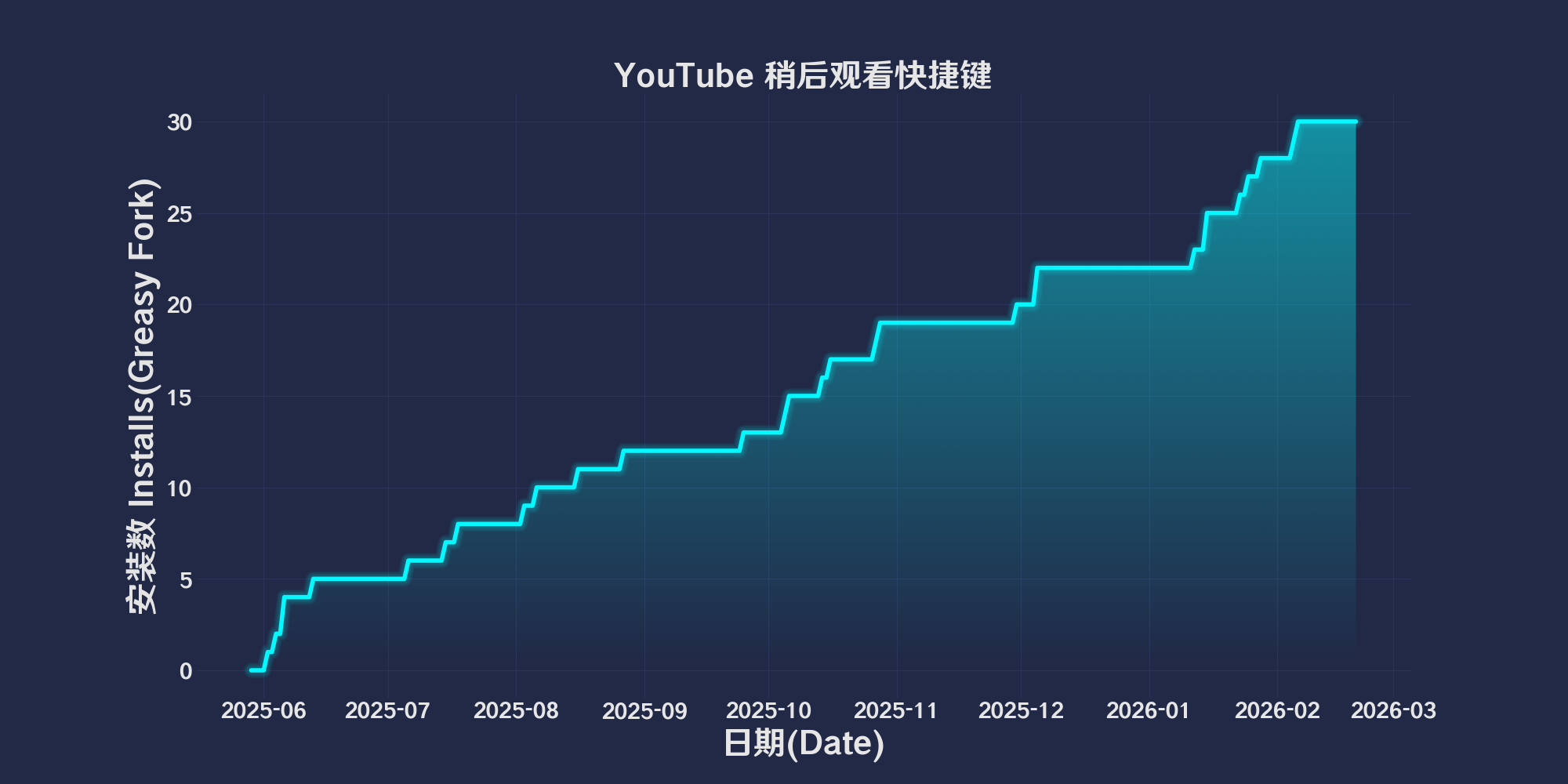
จำนวนติดตั้งทั้งหมด
22
คะแนน
0 0 0
เวอร์ชัน
2025.6.2.1
สร้างเมื่อ
29-05-2025
อัปเดตเมื่อ
02-06-2025
Size
48.8 กิโลไบต์
ความเข้ากันได้
เข้ากันได้กับ Firefox เข้ากันได้กับ Chrome เข้ากันได้กับ Opera เข้ากันได้กับ Safari เข้ากันได้กับ Edge
สัญญาอนุญาต
MIT
ปรับใช้กับ

简体中文 | English | 한국어 | Tiếng Việt | 繁體中文

👆️access GitHub Readme file on for a better experience。

Recommended use:
Support
Support
Support
💡 Tip: The script manager and browser listed above do not represent all
The script runs normally in the following environment
Passed

YouTube Watch shortcuts later

「 Use keyboard shortcuts to add or delete the current YouTube video to or from the Youtube later viewing list. 」

Views

Download:Github | ⭐Greasy Fork

YouTube Watch Later Shortcut

  1. Alt + Shift + R Add video to“Watch it later”。
  2. Alt + Shift + F from“Watch it later”Remove video。

💖 The script referenced or used the following script:

🧑‍💻 @kyleczhang ⇒ 📜 YouTube Watch Later Shortcut

Help

Recommended browser and script manager:

  • Greasemonkey + Waterfox
  • Tampermonkey/Violentmonkey + Firefox
  • Tampermonkey/Violentmonkey + Chrome
  • Userscripts + ios Safari
  • Violentmonkey/KiWiBrowser + Android

If you need to learn more about how to install user scripts,Click meView the teaching of pictures and texts!

View all publish scripts