
🎉 欢迎访问GreasyFork.Org 镜像站!本镜像站由公众号【爱吃馍】搭建,用于分享脚本。联系邮箱📮

Greasy fork 爱吃馍镜像

BiliScrollReverser - 哔哩哔哩触控板滚动反转

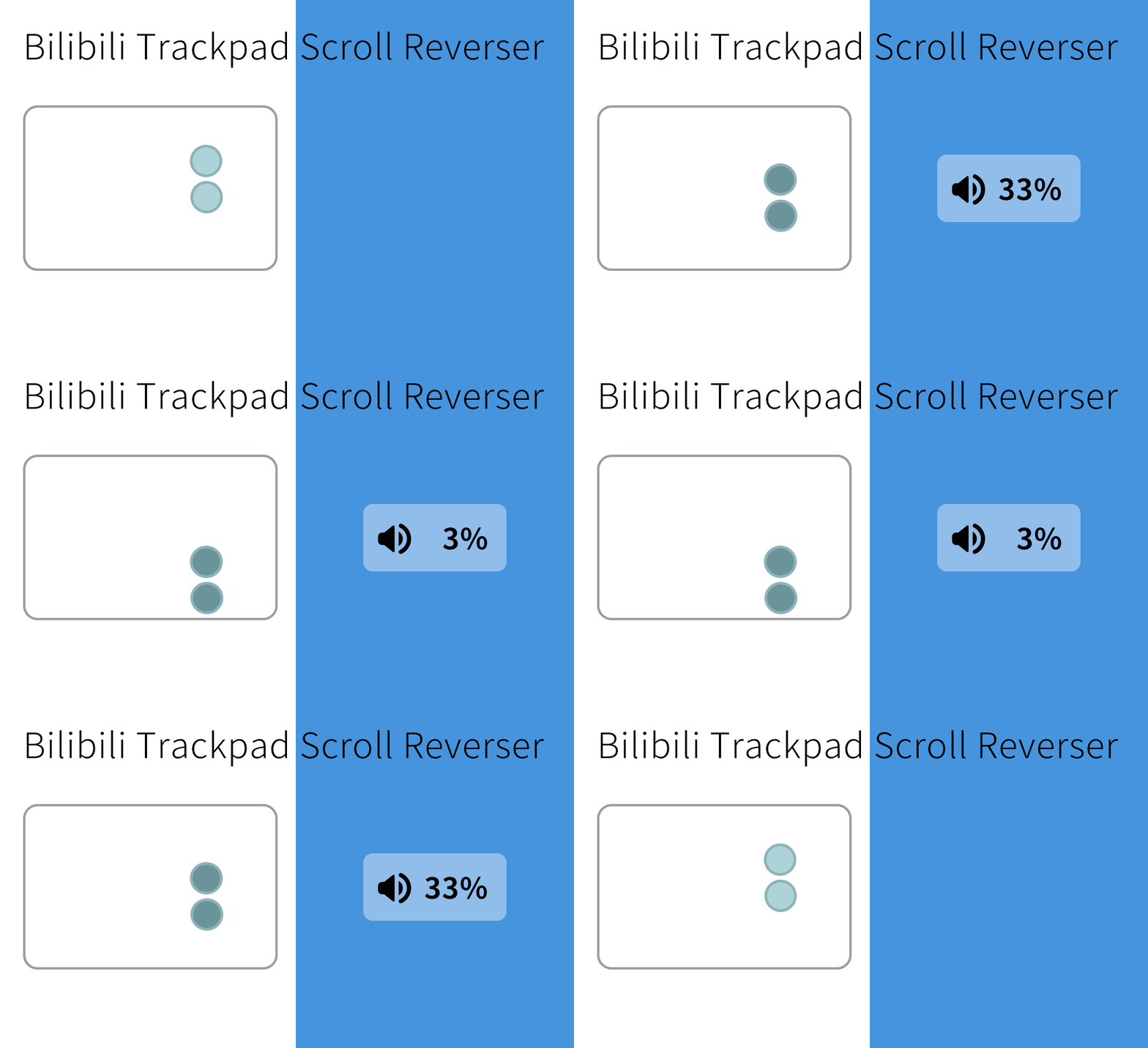
优化 b 站视频音量调节在触控板上的体验。使用此脚本后,在 b 站视频全屏界面中,使用触控板向下滚动将减少音量。(未安装时为增大)

You will need to install an extension such as Tampermonkey, Greasemonkey or Violentmonkey to install this script.

You will need to install an extension such as Tampermonkey to install this script.

You will need to install an extension such as Tampermonkey or Violentmonkey to install this script.

You will need to install an extension such as Tampermonkey or Userscripts to install this script.

You will need to install an extension such as Tampermonkey to install this script.

You will need to install a user script manager extension to install this script.

(I already have a user script manager, let me install it!)

🚀 安装遇到问题?关注公众号获取帮助

公众号二维码

扫码关注【爱吃馍】

回复【脚本】获取最新教程和防失联地址

You will need to install an extension such as Stylus to install this style.

You will need to install an extension such as Stylus to install this style.

You will need to install an extension such as Stylus to install this style.

You will need to install a user style manager extension to install this style.

You will need to install a user style manager extension to install this style.

You will need to install a user style manager extension to install this style.

(I already have a user style manager, let me install it!)

🚀 安装遇到问题?关注公众号获取帮助

公众号二维码

扫码关注【爱吃馍】

回复【脚本】获取最新教程和防失联地址

Forfatter
Max3
Daglige installasjoner
0
Totale installasjoner
1 059
Vurderinger
0 1 0
Versjon
3.0.2
Lagd
22.09.2021
Oppdatert
03.12.2025
Size
96,8 kB
Lisens
MIT
Gjelder

更多信息请见 Github,推荐使用 Github 进行问题反馈~(如果可以的话给我一个 Star ⭐️谢谢喵!😻)
哔哩哔哩触控板滚动反转

Bilibili-Trackpad-Scroll-Reverser

自然滚动下,音量的调节应该也是自然的。

优化 b 站视频音量调节在触控板上的体验。使用此脚本后,在 b 站视频全屏界面中,使用触控板向下滚动将减少音量。(未安装时为增大)

建议

初始化时提供两个选项:「简单」与 「矫正」。

简单模式:粗暴地认为 deltaY 值低于 100 的为触控板。仅对于细微调节适用。移动过快时,会导致判断中间出错。

矫正模式:根据提示滚动鼠标滚轮选择最小整数 deltaY。 除去这个数值外,如果是浮点数则为鼠标,整数值则为触控板。

对于 macOS(Chorme/Safari),推荐使用「矫正模式」。

对于未开启平滑滚动的情况下的 Windows 设备、所有平台的 Firefox 浏览器下,目前暂时推荐使用「简单模式」。

后续会在初始化流程自动引导该设置。

Github 上查看源代码,阅读更多。
