🎉 欢迎访问GreasyFork.Org 镜像站!本镜像站由公众号【爱吃馍】搭建,用于分享脚本。联系邮箱📮

Greasy fork 爱吃馍镜像

Microsoft Doc Page Trimmer

A userscript to remove the sidebars and have adaptive scaling on Microsoft's documentation pages.

이 스크립트를 설치하려면 Tampermonkey, Greasemonkey 또는 Violentmonkey와 같은 확장 프로그램이 필요합니다.

You will need to install an extension such as Tampermonkey to install this script.

이 스크립트를 설치하려면 Tampermonkey 또는 Violentmonkey와 같은 확장 프로그램이 필요합니다.

이 스크립트를 설치하려면 Tampermonkey 또는 Userscripts와 같은 확장 프로그램이 필요합니다.

이 스크립트를 설치하려면 Tampermonkey와 같은 확장 프로그램이 필요합니다.

이 스크립트를 설치하려면 유저 스크립트 관리자 확장 프로그램이 필요합니다.

(이미 유저 스크립트 관리자가 설치되어 있습니다. 설치를 진행합니다!)

🚀 安装遇到问题?关注公众号获取帮助

公众号二维码

扫码关注【爱吃馍】

回复【脚本】获取最新教程和防失联地址

이 스타일을 설치하려면 Stylus와 같은 확장 프로그램이 필요합니다.

이 스타일을 설치하려면 Stylus와 같은 확장 프로그램이 필요합니다.

이 스타일을 설치하려면 Stylus와 같은 확장 프로그램이 필요합니다.

이 스타일을 설치하려면 유저 스타일 관리자 확장 프로그램이 필요합니다.

이 스타일을 설치하려면 유저 스타일 관리자 확장 프로그램이 필요합니다.

이 스타일을 설치하려면 유저 스타일 관리자 확장 프로그램이 필요합니다.

(이미 유저 스타일 관리자가 설치되어 있습니다. 설치를 진행합니다!)

🚀 安装遇到问题?关注公众号获取帮助

公众号二维码

扫码关注【爱吃馍】

回复【脚本】获取最新教程和防失联地址

작성자
GemedetAdept
일일 설치 수
0
총 설치 수
3
평점
0 0 0
버전
1.1
생성일
2023-11-13
갱신일
2023-11-13
크기
1.42KB
라이선스
GNU General Public License v3.0
적용 사이트

Microsoft Doc Page Trimmer

A userscript to remove the sidebars and have adaptive scaling on Microsoft's documentation pages.

When I'm referencing documentation for the .NET framework, I often have to dock my browser and have it side-by-side with my IDE. Issue is, when it's at half size, the side bars scrunch up the text and shrink the code blocks. So, I did what all programmers would do in this situation: tell yourself it's a five-minute adventure — in-and-out — and then spend far too much time to fix a tiny problem that no-one else has.

Planned:
  • A toggle option so that you don't need to reload the userscript every time you want to show/hide the sidebars.

Screenshots

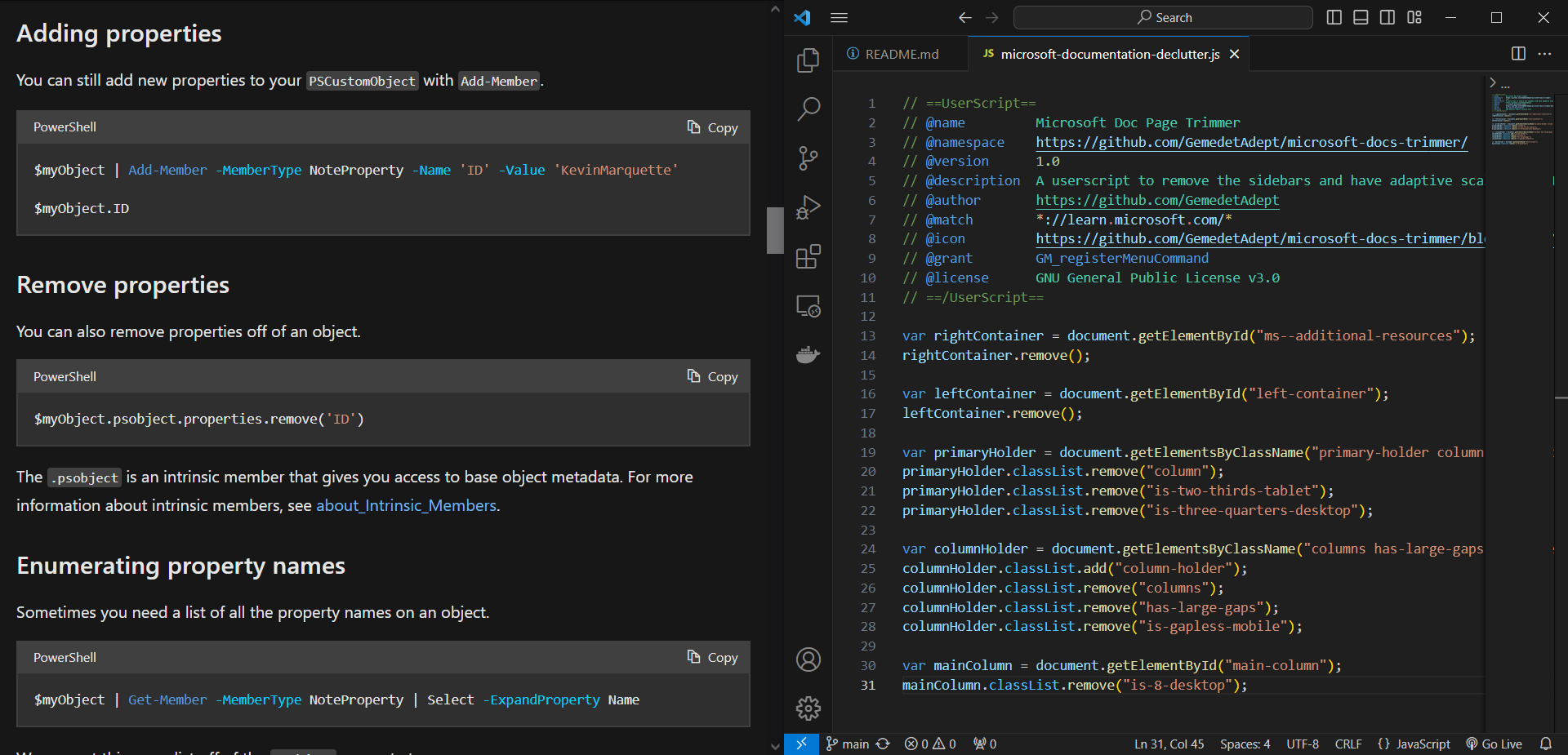
Userscript disabled

Documentation page with userscript disabled.

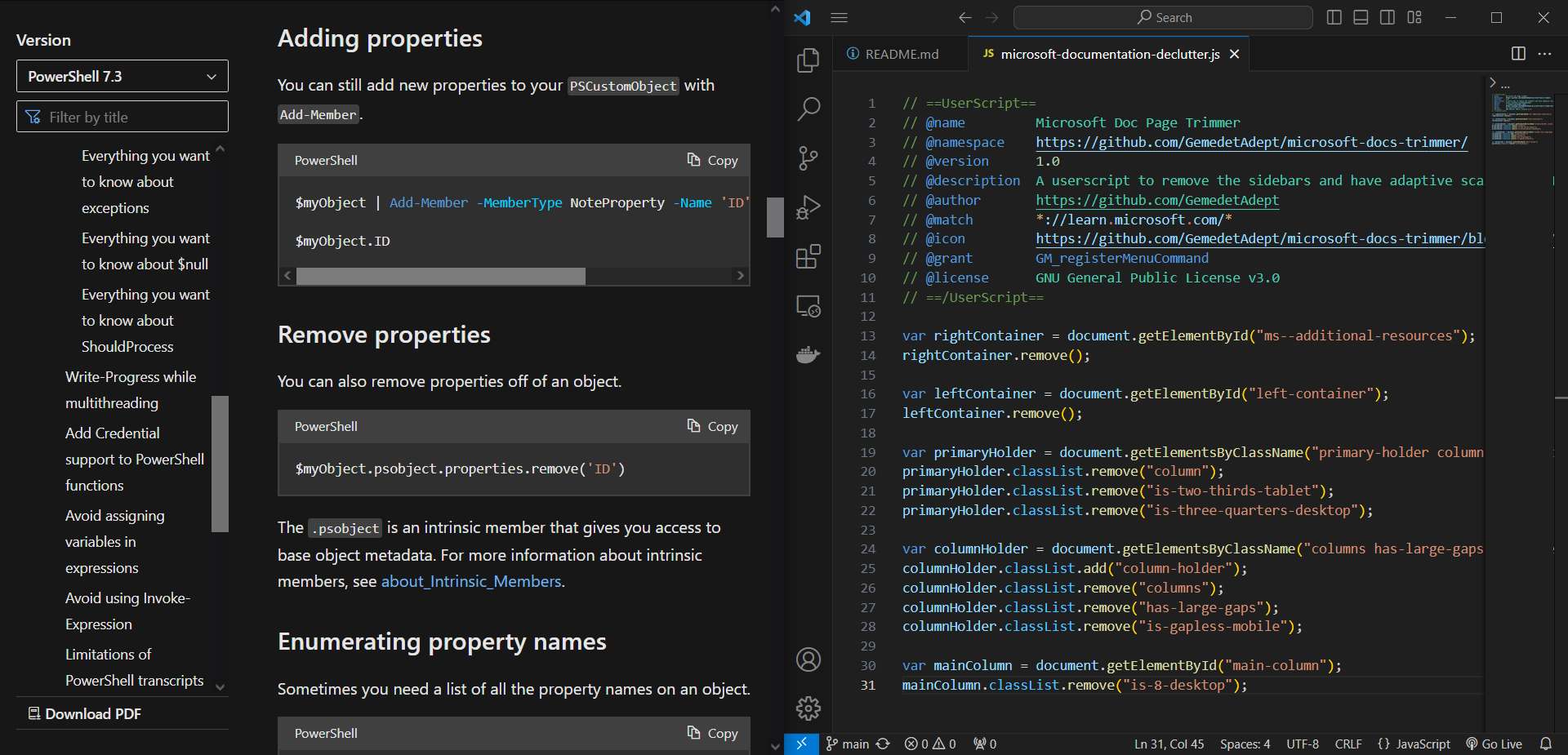
Userscript enabled

Documentation page with userscript enabled.

By: G e m e d e t A d e p t