🎉 欢迎访问GreasyFork.Org 镜像站!本镜像站由公众号【爱吃馍】搭建,用于分享脚本。联系邮箱📮

Greasy fork 爱吃馍镜像

Greasy Fork is available in English.

📂 缓存分发状态(共享加速已生效)
🕒 页面同步时间:2025/12/28 02:00:55
🔄 下次更新时间:2025/12/28 03:00:55
手动刷新缓存

ChatGptコードツール

コードスニペットを保存またはコピーするオプションを含む、CHATGPTコードブロックに機能を追加します。

スクリプトをインストールするには、Tampermonkey, GreasemonkeyViolentmonkey のような拡張機能のインストールが必要です。

You will need to install an extension such as Tampermonkey to install this script.

スクリプトをインストールするには、TampermonkeyViolentmonkey のような拡張機能のインストールが必要です。

スクリプトをインストールするには、TampermonkeyUserscripts のような拡張機能のインストールが必要です。

このスクリプトをインストールするには、Tampermonkeyなどの拡張機能をインストールする必要があります。

このスクリプトをインストールするには、ユーザースクリプト管理ツールの拡張機能をインストールする必要があります。

(ユーザースクリプト管理ツールは設定済みなのでインストール!)

🚀 安装遇到问题?关注公众号获取帮助

公众号二维码

扫码关注【爱吃馍】

回复【脚本】获取最新教程和防失联地址

このスタイルをインストールするには、Stylusなどの拡張機能をインストールする必要があります。

このスタイルをインストールするには、Stylus などの拡張機能をインストールする必要があります。

このスタイルをインストールするには、Stylus tなどの拡張機能をインストールする必要があります。

このスタイルをインストールするには、ユーザースタイル管理用の拡張機能をインストールする必要があります。

このスタイルをインストールするには、ユーザースタイル管理用の拡張機能をインストールする必要があります。

このスタイルをインストールするには、ユーザースタイル管理用の拡張機能をインストールする必要があります。

(ユーザースタイル管理ツールは設定済みなのでインストール!)

🚀 安装遇到问题?关注公众号获取帮助

公众号二维码

扫码关注【爱吃馍】

回复【脚本】获取最新教程和防失联地址

作者のサイトでサポートを受ける。または、このスクリプトの質問や評価の投稿はこちら通報はこちらへお寄せください
作者
人民的勤务员
1日のインストール数
0
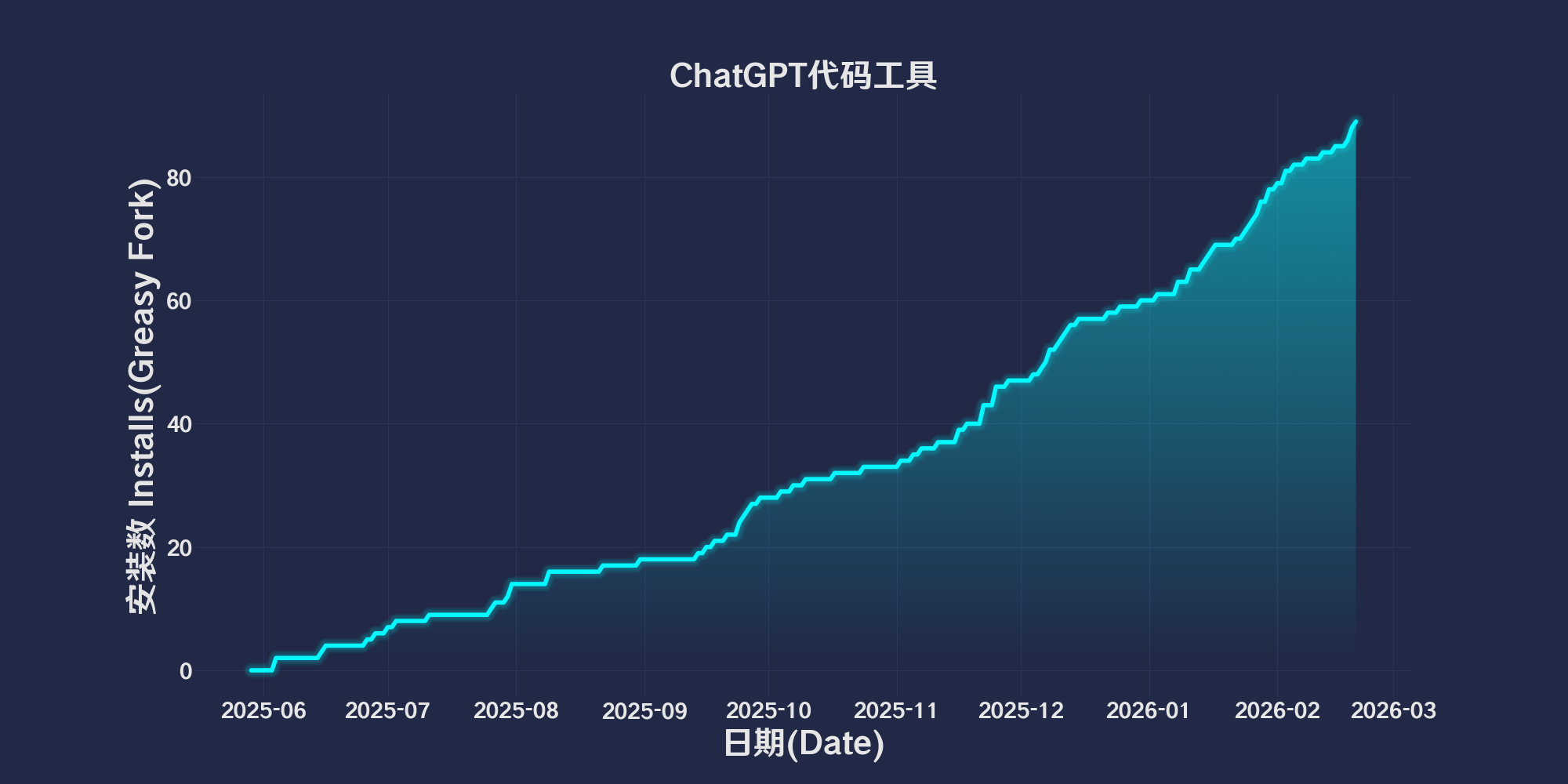
累計インストール数
59
評価
0 0 0
バージョン
2025.6.2.1
作成日
2025/05/29
更新日
2025/06/02
大きさ
49.2KB
互換性
Firefox への互換性あり Chrome への互換性あり Opera への互換性あり Safari への互換性あり Edge への互換性あり
ライセンス
MIT
対象サイト

简体中文 | English | 한국어 | Tiếng Việt | 繁體中文

👆️access GitHub Readme file on for a better experience。

Recommended use:
Support
Support
Support
💡 Tip: The script manager and browser listed above do not represent all
The script runs normally in the following environment
Passed

ChatGPT Code Tool

「 Add functionality to ChatGPT code blocks, including the option to save or copy code snippets. 」

Views

Download:Github | ⭐Greasy Fork

Scripting functions and implementation

Code block addition“Save the code”and“Copy the code”Button,To quickly save or copy code snippets。

Functional Overview

1. Detect code blocks

  • Automatically add action buttons for each code block(Avoid repeated additions)。

2. Add action button

  • Save code button

    • Code block-based language(Infer file extensions by class name)。
    • Dynamically set according to extension MIME type。
    • Create a download link and trigger a download。
  • Copy code button

    • Copy code snippets to clipboard。
    • Provide status feedback(like“Copy successfully”or“Copy failed”)。

3. Dynamic adaptation

  • monitor DOM Changes,Automatically add buttons to the newly added code blocks。

4. Button style and interaction

  • Customize button styles(Background color、frame、Mouse hover effect)。

  • Status feedback mechanism:

    • Normal state:Blue Button。
    • At work:Green button displays status(like“Saving...”or“Copyed”)。
    • Error status:The red button displays error message。

💖 The script referenced or used the following script:

🧑‍💻 @CarpeNoctemXD ⇒ 📜 ChatGPT Code Tools

Help

Recommended browser and script manager:

  • Greasemonkey + Waterfox
  • Tampermonkey/Violentmonkey + Firefox
  • Tampermonkey/Violentmonkey + Chrome
  • Userscripts + ios Safari
  • Violentmonkey/KiWiBrowser + Android

If you need to learn more about how to install user scripts,Click meView the teaching of pictures and texts!

View all publish scripts