×

扫码关注【爱吃馍】
获取最新脚本和技术支持!
关注公众号,获取最新地址

Greasy Fork is available in English.
このスクリプトは、GitHub 上のコミットメッセージを HTML ビューに変換し、コミットの詳細をより明確に表示します。コミットメッセージのリスト、コミットヘッダー、最新のコミット情報を自動的に HTML 形式に変換し、視覚的な魅力とユーザー体験を向上させます。
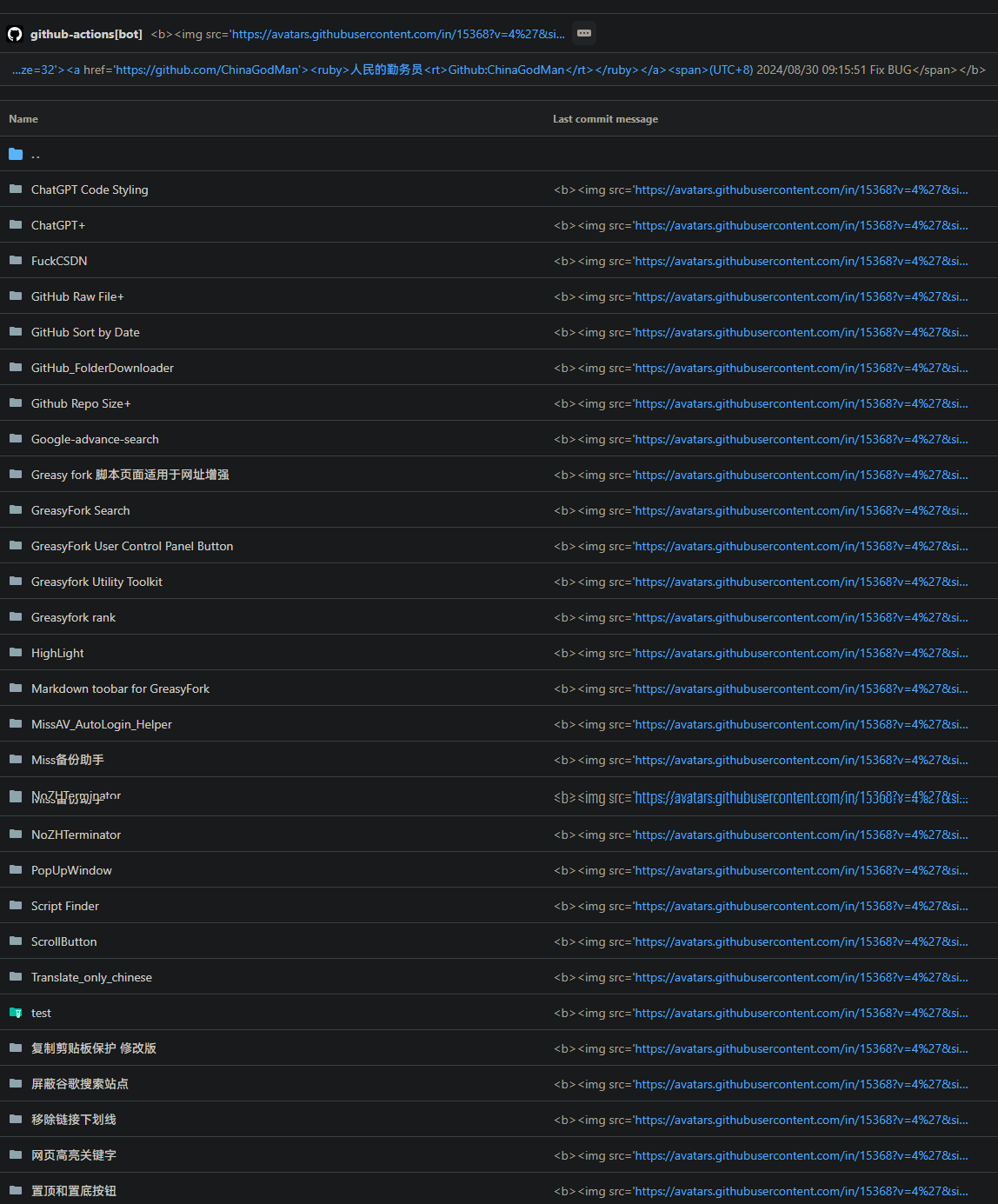
GitHub CommitMessage Html View is a user script designed to convert commit messages on GitHub into HTML views, providing clearer commit details. This script automatically transforms commit message lists, commit headers, and the latest commit information into HTML format to enhance visual appeal and user experience, and can be used in conjunction with Git.
Clickqinwuyuan.ps1 to download the PowerShell script.
param (
    [string]$qinwuyuan_messageFilePath
)
$qinwuyuan_scriptPath = $PSScriptRoot
$qinwuyuan_rootDrive1 = [System.IO.Path]::GetPathRoot($qinwuyuan_scriptPath).TrimEnd('\')
if (-not $qinwuyuan_messageFilePath) {
    $qinwuyuan_messageFilePath = "$qinwuyuan_rootDrive1\path\to\change\commit.txt"
}
$qinwuyuan_oldCommitFilePath = "$qinwuyuan_scriptPath\oldcommit.txt"
if (-not (Test-Path $qinwuyuan_messageFilePath)) {
    exit 1
}
if (-not (Test-Path .git)) {
    exit 1
}
$qinwuyuan_newCommitMessage = Get-Content $qinwuyuan_messageFilePath -Raw
$qinwuyuan_oldCommitMessage = if (Test-Path $qinwuyuan_oldCommitFilePath) {
    Get-Content $qinwuyuan_oldCommitFilePath -Raw
} else {
    ""
}
if ($qinwuyuan_newCommitMessage -eq $qinwuyuan_oldCommitMessage) {
    $qinwuyuan_currentDateTime = Get-Date -Format "yyyy/M/d HH:mm:ss"
    $qinwuyuan_commitMessage = @"
<b><img src="https://avatars.githubusercontent.com/u/96548841?v=4&size=32">
<a href="https://github.com/ChinaGodMan">
  <ruby>人民的勤务员<rt>Github:ChinaGodMan</rt></ruby>
</a>
<span>(UTC+8) $qinwuyuan_currentDateTime </span></b>
"@
} else {
    $qinwuyuan_currentDateTime = Get-Date -Format "yyyy/M/d HH:mm:ss"
    $qinwuyuan_commitMessage = $qinwuyuan_newCommitMessage -replace '\$qinwuyuan_currentDateTime', $qinwuyuan_currentDateTime
}
$qinwuyuan_currentBranch = git rev-parse --abbrev-ref HEAD
if ($LASTEXITCODE -ne 0) {
    exit 1
}
git add .
git commit -m $qinwuyuan_commitMessage
if ($LASTEXITCODE -ne 0) {
    exit 1
}
git push origin $qinwuyuan_currentBranch --force
if ($LASTEXITCODE -ne 0) {
    exit 1
}
Copy-Item -Path $qinwuyuan_messageFilePath -Destination $qinwuyuan_oldCommitFilePath -Force
This script is licensed under the MIT License.
After:
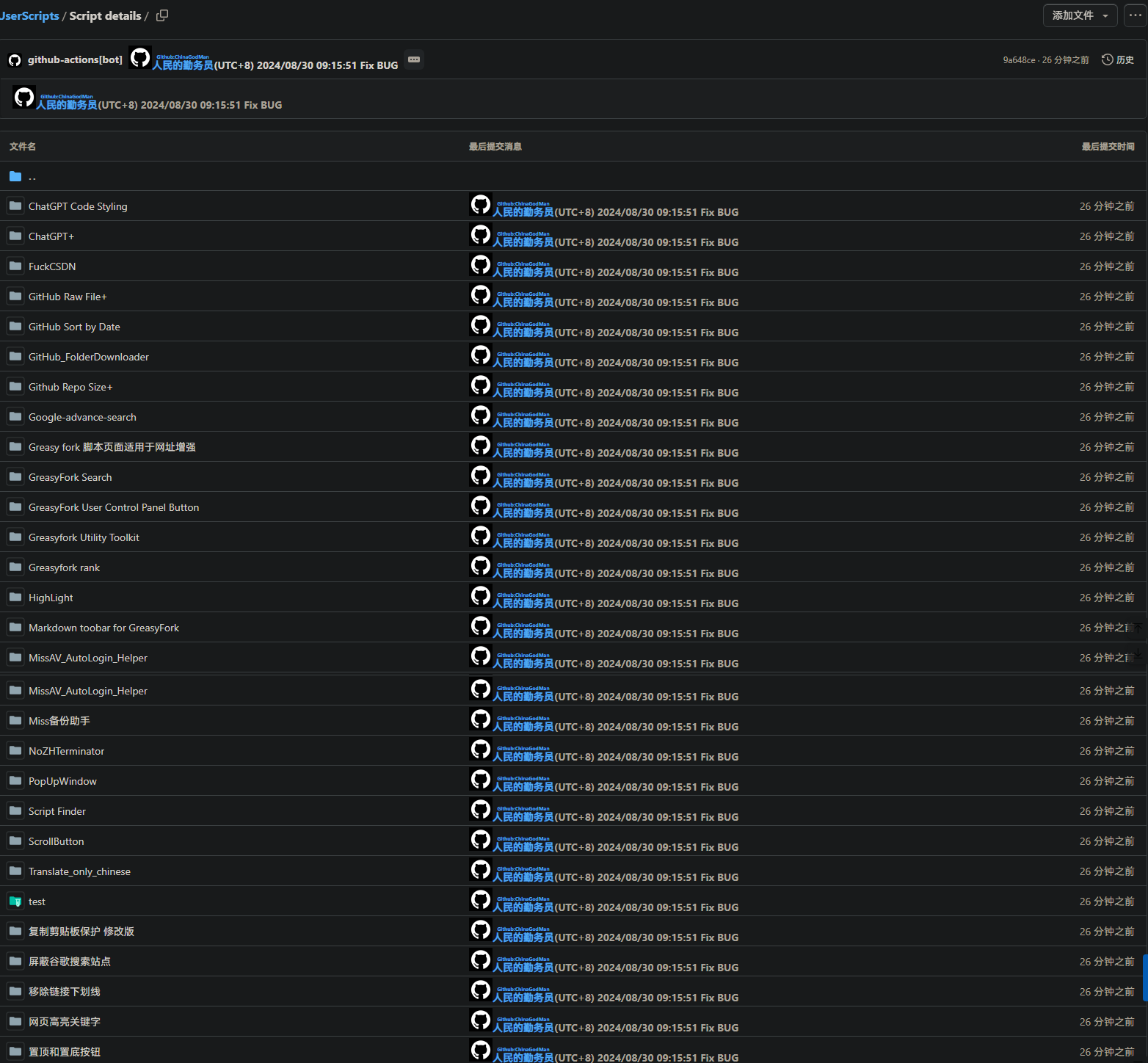 Before: