English Version | 中文版本
English
This userscript adds a smart scroll button to ChatGPT, GROK, QWEN and DEEPSEEK chat interfaces, allowing you to easily navigate between the top and bottom of conversations. It also includes section navigation, auto-scroll, and customizable themes.
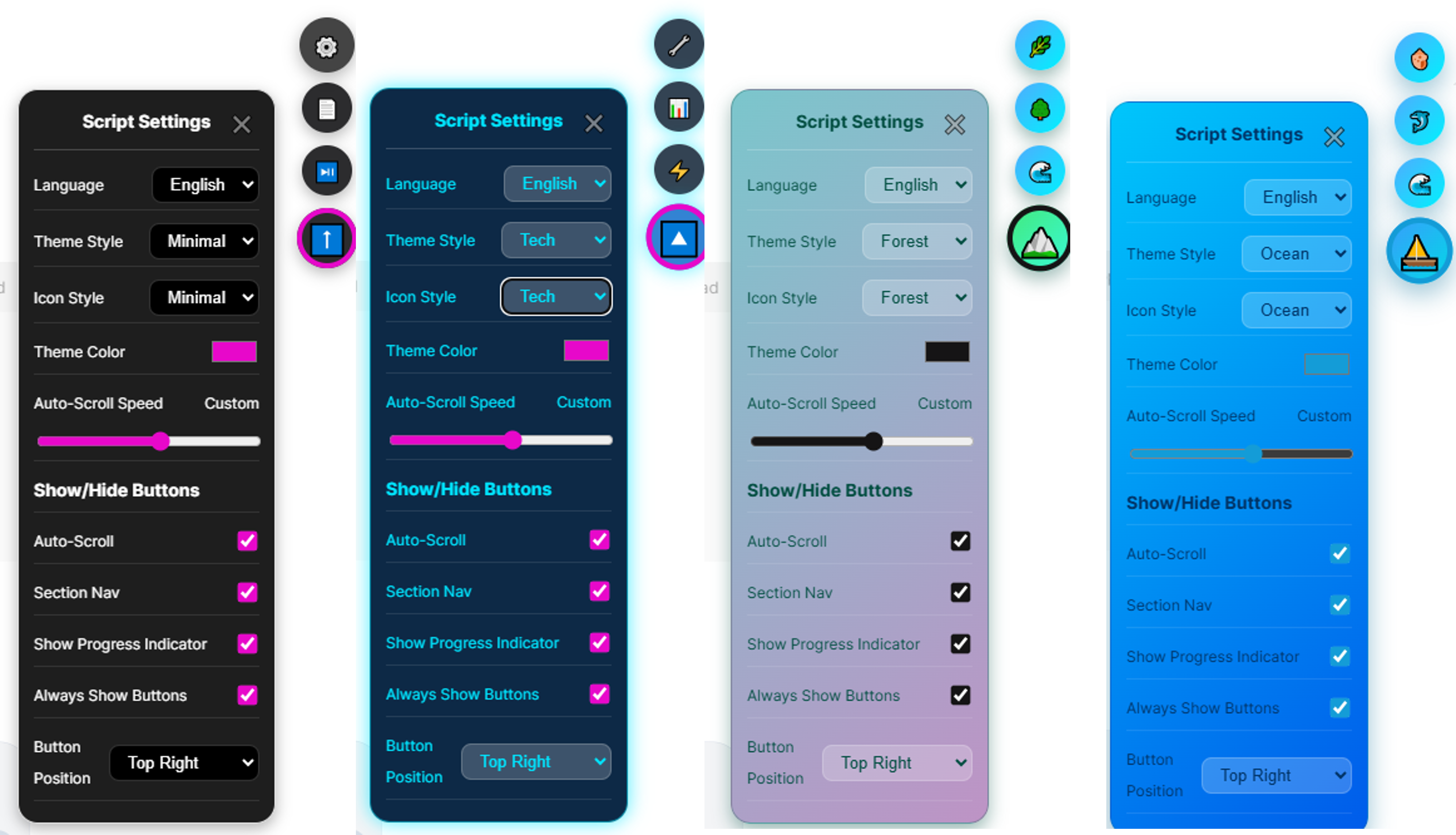
Features
- Smart Scrolling: One-click smooth scrolling between the top and bottom of the chat.
- Adaptive Icon: The button icon automatically switches (⬆/⬇) etc. based on current position.
- Progress Indicator: Shows current scroll percentage.
- Section Navigation: Quickly jump to different sections (headings) on the page.
- Auto Scroll: Automatically scroll page content at a set speed.
- keyboard shortcuts: Use ALT+⬆kbd> and ALT+⬇kbd>
- Theme Color: Customize the primary accent color used by buttons, hover states, and highlight.
- Theme: Choose the theme style (e.g., minimal/colorful/tech/forest/cute/space/sunset/ocean)
- Icon Sets: Choose the button's icon style (e.g., minimal/colorful/tech/forest/cute/space/sunset/ocean)
- Multi-Platform Support: Built-in support for ChatGPT, GROK, DEEPSEEK. You can provide a custom
platforms config in Discussions:
- Multi-language support: Chinese and English
Settings
- Show Autoscroll Button: Show/hide the Auto-scroll toggle.
- Show Section Nav Button: Show/hide the Section Navigation button.
- Show Progress Indicator: Show/hide the scroll percentage.
- Always Show Buttons: Keep the navigation buttons always visible.
- Theme Style: minimal/colorful/tech/forest/cute/space/sunset/ocean
- Theme Color: Pick a custom accent color
- Icon Style: minimal/colorful/tech/forest/cute/space/sunset/ocean
- Scroll Speed: Adjust auto-scroll speed (1-10).
- Button Position: Choose where the buttons appear (bottom-right/top-right/middle-right).
Installation & Usage
- Install Tampermonkey (or another userscript manager).
- Install this script.
- Visit a supported platform (ChatGPT / GROK / DEEPSEEK/ TONGYI(QWEN)).
- Move the mouse to the bottom-right corner to reveal the button.
- Click to toggle scroll to Top or Bottom; open settings to customize options.
Note (match scope): For performance and safety, we use precise @match rules per site rather than a global *://*/*.
Request support for more sites
We currently focus on ChatGPT, GROK, DEEPSEEK and TONGYI(QWEN) . To request a new site, please provide:
Site URL and a short description.
The main scroll container selector (e.g., .scrollable, main, div.overflow-y-auto).
If you already tested, share your platforms config snippet.
  platforms: {
      chatgpt: { container: '.flex.basis-auto.flex-col.grow.overflow-hidden div.relative.h-full div.overflow-y-auto' },
      grok:    { container: '.scrollbar-gutter-stable' },
      deepseek:{ container: '.scrollable' },
      tongyi:  { container: 'div[class^="contentWrapper--"]' },
      generic: { container: 'html, body' }
  }
Some sites enforce strict CSP / Trusted Types policies that block dynamic HTML injection; those may need a no-innerHTML DOM build path and can be considered later.
Bug reports
If you encounter a bug, please include:
- Site URL and steps to reproduce.
- Expected vs actual behavior, and screenshots if possible.
- Console errors (copy from DevTools).
中文
这是一个专为 AI 网页聊天界面(目前支持站点: ChatGPT、GROK、DEEPSEEK、通义千问),智能添加滚动导航,提供章节导航、自动滚动阅读和主题自定义等功能的JS用户脚本, 改善你与AI的网页聊天体验, 变得像德芙一样丝滑~。
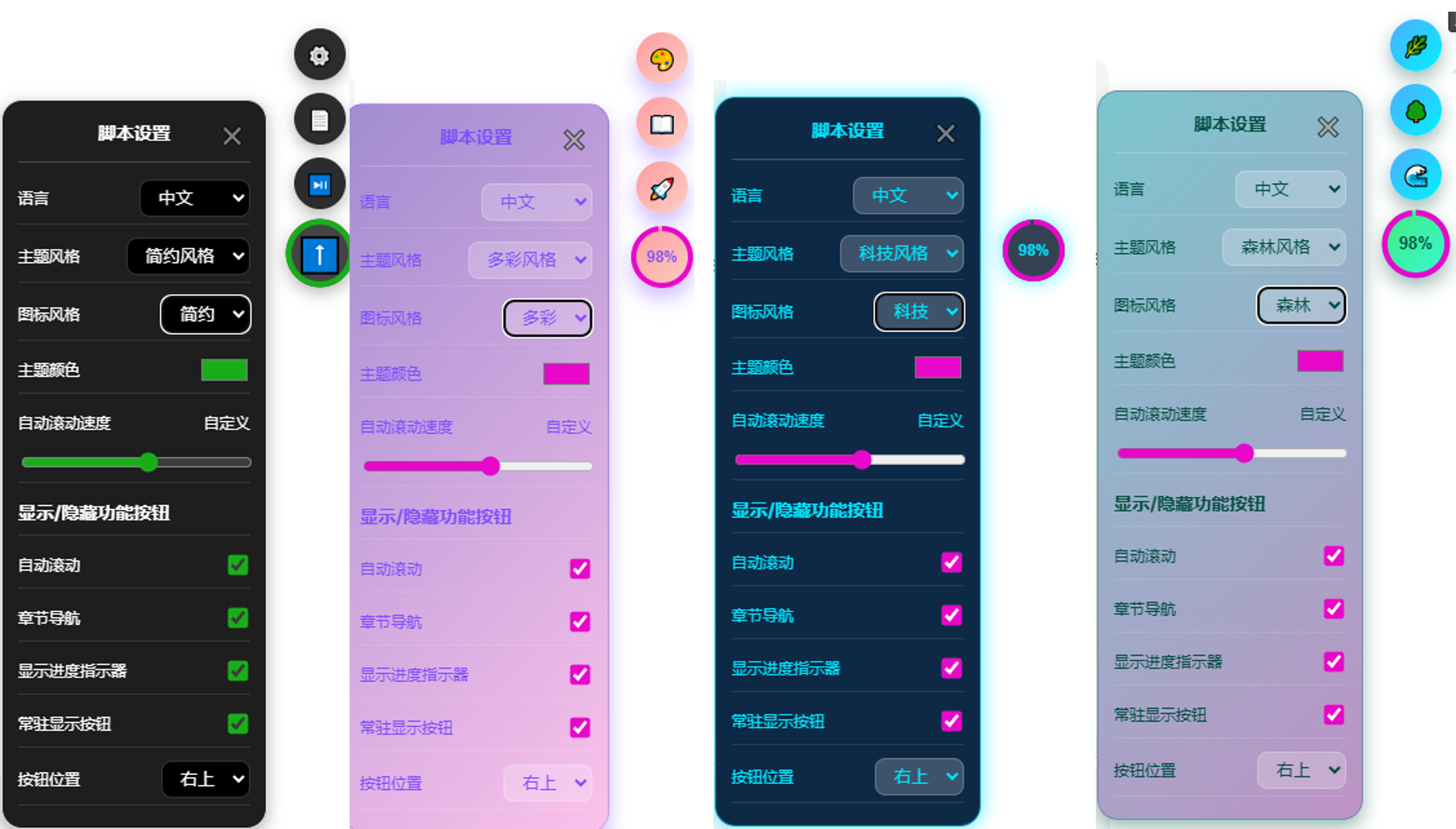
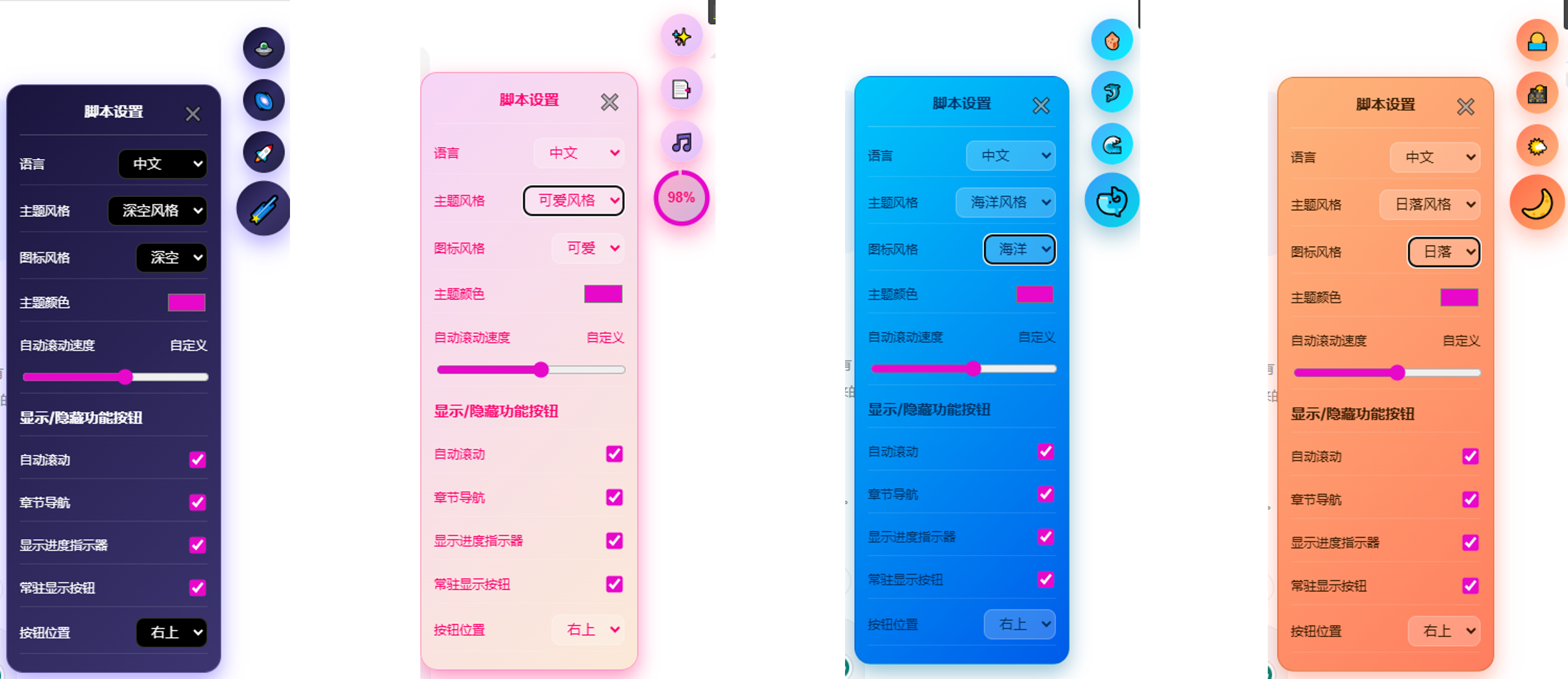
🎯 它能干啥?
- 智能滚动:一键在AI的长篇大论或深度思考中穿梭自如,像坐电梯一样在顶部和底部之间「唰」地切换
- 自适应图标:图标比变色龙还会变
- 进度指示器:实时显示「你已浏览了聊天页面的百分之多少」,防止在与AI的废话海洋中迷失方向, 或在角色扮演中迷失自己
- 章节导航:像看书一样快速跳转到各个标题,再也不用手动翻找「那一段标题到底在哪」
- 自动滚动:解放双手,让页面自己滚动!适合边喝茶边回忆与AI的美好回忆
- 键盘快捷键:使用ALT+⬆和ALT+⬇快速上下滚动
- 主题换肤:随心换装!从「简约风」到「二次元」,总有一款适合你的心情
- 图标风格:8种独特图标风格,与主题风格独立选择
- 多平台支持:ChatGPT、GROK、DEEPSEEK、通义千问 四开花!其他站点也可以申请「落户
⚙️ 调教选项
- 显示/隐藏自动滚动按钮:不想看到那个让你心烦的按钮?关掉它!
- 显示/隐藏章节导航按钮:章节导航也用不到?那就关掉!
- 进度指示器开关:数字焦虑症患者的福音
- 常驻显示按钮:让按钮一直显示,不用鼠标靠近才出现
- 主题风格选择:简约/多彩/科技/森林/可爱/深空/日落/海洋
- 主题颜色定制:猜猜你的主题今天穿什么颜色的衣服?
- 图标风格选择:简约/多彩/科技/森林/可爱/深空/日落/海洋
- 滚动速度调节:从「乌龟爬」到「闪电侠」,随你心情
- 按钮位置:可以放在右下、右上或右中
🚀 使用指南
先装上 Tampermonkey(或者其他脚本管理器)
再安装本脚本(这不废话么)
访问你喜欢的AI聊天网站(ChatGPT / GROK / DEEPSEEK / 通义千问)
鼠标偷偷摸到页面右下角,按钮就会「咻」地出现
点它!点它!点它!
温馨提示:本脚本不像某些「流氓脚本」一样全站通配,我们很专一的只匹配特定网站,尽量保证你的浏览器不会出现莫名的问题 !
🏠 申请新站点支持
想让你的最爱网站在这里拥有姓名?请提供以下「房产证信息」:
- 网站地址和它是干啥的(总不能是个网站我们就支持吧);
- 滚动容器的「身份证」(就是那个CSS选择器,比如
.scrollable、main 之类);
- (可选)其他有用信息
- 如果你已经自己尝试过了,请附上你的「装修方案」(就是那段platforms配置代码)。
platforms: {
  chatgpt: { container: '.flex.basis-auto.flex-col.grow.overflow-hidden div.relative.h-full div.overflow-y-auto' },
  grok:    { container: '.scrollbar-gutter-stable' },
  deepseek:{ container: '.scrollable' },
  tongyi:  { container: 'div[class^="contentWrapper--"]' },
  generic: { container: 'html, body' }
}
⚠️ 部分网站有「洁癖」(严格CSP / Trusted Types),不让直接插HTML,这种需要特殊处理,后续再考虑支持。
🆘 遇到问题了?
- 如果脚本「闹脾气」不工作了,请带上以下「病历信息」在讨论区挂号联系:
- 网站地址和「发病」过程(怎么操作才会出现这个问题);
- 期望效果 vs 实际效果,最好附上「病照」(截图);
- 控制台报错信息(按F12打开DevTools,在Console标签页复制粘贴错误信息);

